Powered by Blogger.
Showing posts with label Software. Show all posts

10 Fast and Free PC Security Enhancements

Posted by Rahil Tuesday, March 15, 2011 2 comments


Before you spend a Time on security, there are many precautions you can take that will protect you against the most common threats.

1. Check Windows Update and Office Update regularly http://office.microsoft.com/productupdates; have your Office CD ready. Windows Me, 2000, and XP users can configure automatic updates. Click on the Automatic Updates tab in the System control panel and choose the appropriate options.

2. Install a personal firewall. Both SyGate http://www.sygate.com/ and ZoneAlarm http://www.zonelabs.com/ offer free versions.

3. Install a free spyware blocker. Our Editors' Choice ("Spyware," April 22) was SpyBot Search & Destroy http://security.kolla.de/. SpyBot is also paranoid and ruthless in hunting out tracking cookies.

4. Block pop-up spam messages in Windows NT, 2000, or XP by disabling the Windows Messenger service (this is unrelated to the instant messaging program). Open Control Panel | Administrative Tools | Services and you'll see Messenger. Right-click and go to Properties. Set Start-up Type to Disabled and press the Stop button. Bye-bye, spam pop-ups! Any good firewall will also stop them.

5. Use strong passwords and change them periodically. Passwords should have at least seven characters; use letters and numbers and have at least one symbol. A decent example would be f8izKro@l. This will make it much harder for anyone to gain access to your accounts.

6. If you're using Outlook or Outlook Express, use the current version or one with the Outlook Security Update installed. The update and current versions patch numerous vulnerabilities.

7. Buy antivirus software and keep it up to date. If you're not willing to pay, try Grisoft AVG Free Edition (Grisoft Inc., w*w.grisoft.com). And doublecheck your AV with the free, online-only scanners available at www.pandasoftware.com/activescan and http://housecall.trendmicro.com/.

8. If you have a wireless network, turn on the security features: Use MAC filtering, turn off SSID broadcast, and even use WEP with the biggest key you can get. For more, check out our wireless section or see the expanded coverage in Your Unwired World in our next issue.

9. Join a respectable e-mail security list, such as the one found at our own Security Supersite at http://security.ziffdavis.com/, so that you learn about emerging threats quickly and can take proper precautions.

10. Be skeptical of things on the Internet. Don't assume that e-mail "From:" a particular person is actually from that person until you have further reason to believe it's that person. Don't assume that an attachment is what it says it is. Don't give out your password to anyone, even if that person claims to be from "support."


Sometimes its always healthy to shutdown your PC if you are not using it. I mean, suppose you are downloading a file that will be completed at an estimated time of say 1 hour. You can avoid sitting in front of the monitor till the download is complete. just use the below freeware software to shutdown the computer automatically after a specific amount of time.

AutoShutdown forWindows software (freeware)- automatic shutdown


 Usage of Auto Shutdown:
1. Set the time.
2. Set the action to be taken.
a.    Shutdown means that the computer will be turned off (after logging off, if needed). Force means that the running applications (if any) will be forced to close themselves). This can be dangerous, is some cases you may loose your data, unsaved documents.
b.    Remind me about means that, when the time will come, a message box will be shown with your message (e.g. “Eggs are ready!”, or “the movie has began!”).
3. If you want, minimize the program (the “Auto Shutdown” program dialog).
4. That’s it. When the time will come, auto shutdown will do the specified job.
Of course, if you close the dialog (the “Auto Shutdown” program), then nothing will happen. Auto Shutdown must be running to work.

Download Auto shutdown for windows

Download Auto Shutdown Genius — For Linux.

Copying Copy-Protected Music CDs

Posted by Rahil Thursday, January 6, 2011 2 comments

This guide explains how to copy music CDs that are copy-protected with ‘copy control technology.’ You need a PC with Windows XP and a CD writer. The guide also discusses why you would want to do this and whether it is legal or not.

Step 1: Download IsoBuster  

The first step is to download and install IsoBuster, a program used to salvage data from damaged CDs and DVDs. IsoBuster is a commercial program, but you can run it in freeware mode, where it has limited functionality, which is fine for our purposes. I used IsoBuster 1.6 for this guide.

Step 2: Create a Folder for the Audio Tracks

The idea is to use IsoBuster to extract the hidden audio tracks from the protected CD and burn them to a normal CD, so the first thing to do is create a folder somewhere to store the audio tracks. I suggest your Windows desktop.

Step 3: Open the Copy-Protected CD with IsoBuster 

First, start up IsoBuster and hold down your shift key while inserting your copy-protected CD.
I recommend that you hold down the shift key because it blocks the Windows ‘autorun’ feature, i.e., prevents the CD from launching programs automatically. The reason this is necessary is that some copy-protected CDs (for example Contraband by Velvet Revolver) automatically install suspicious Windows drivers, which people have reported cause problems when you later want to play normal CDs. If you don't want to hold down the shift key every time you insert a copy-protected CD, there is also a way to disable autorun altogether.
After inserting the CD, you should now see something like the following:


As you can see, the CD has two sessions, unlike a normal audio CD, which only has one. The actual audio tracks are stored in session 1. Session 2 contains files, which are used when you insert the CD into a Windows box or a Macintosh. For our purposes we are only interested in the audio tracks, so we'll ignore session 2 completely.
To get at the audio tracks with IsoBuster, click on session 1 on the left in the IsoBuster window. You should now see the audio tracks displayed on the right:
Step 4: Extract the Audio Tracks
Use your mouse to mark all the audio tracks in the right part of the window, then right click and choose ‘Extract Objects’ from the menu:
IsoBuster will ask you for a destination directory; choose the one you created previously:

IsoBuster Screenshot #4
Now wait for the files to copy...
IsoBuster Screenshot #5

When the copy has finished, you can shut down IsoBuster.

Step 5: Burn the Audio Tracks onto a Blank CD

Now open your favourite CD burning software and use it to create an Audio CD. Drag the tracks from the folder where IsoBuster placed them into your Audio CD project, make sure they appear in the right order, and then burn. When you are finished, the resulting CD will contain all the tracks from the original copy-protected CD, but in a non-protected format. It should play on all players and can be MP3-encoded for use on your portable MP3 player.
Enjoy!

Get The Latest Games For Your PC

Posted by Rahil Tuesday, January 4, 2011 0 comments

Not Sure If Many People Use This Site, however heres A Few Steps To getting In.. And Getting The Latest Games..

Right 1st You Need mIRC (Download Below)

http://www.ircadmin.net/mirc/mirc614.exe


Once Downloaded And Installed.. Next Step Is To Get Yourself Connected To The Datavault Network..

Step 1 :- Open irc, Goto Tools,Options. Then Servers, Click Add
Under Description Type : DataVault
Under IRC Server Type : irc.addictz.net
Under Port(S) Type : 6667-6669

Now Click Ok..

Step 2 : Connecting To Irc.Addictz.Net

Goto Tools/Options/Servers
Select Datavault From Drop Down Menu
Tick "New Server Window"
Then Click Connect

A New Window Will Open Telling You That You Are Connecting To Irc.Addictz.net

Step 3 : Now You Have To Register YourSelf.

In The Window Type /msg nickserv register "your Password" "Your Valid Email"
Next Type /msg NickServ IDENTIFY "The Password You Just Entered"

It Should Now Say Your Registered!

Now Type /J #Datavault

Step 4 : The Bots In DataVault Spam What They Host Every 1 Hour, Becareful Not To Spam These Or Else You Will Be Banned..

Every Hour You Will See What Looks Like Below :-

** To request a file type: "/msg slut02 BITCH send #x
#1 392x [0.7G] Torque.DVDRiP.XviD-BRUTUS
#2 1509x [0.7G] The.Butterfly.Effect.DVDRip.XviD-DMT

It's Simple To Request A Download Now..

There Are Different Bots With Different Names, Ie Slut02 Is Just One Bot, There Are More Called Dv44, Dv33 Slut03 Etc.. However The Trigger Principle Is The Sa,e

Now If For Example You Wanted To Download "The ButterFly Effect", In The Main Chat Window You Would Type or Copy /msg slut02 BITCH send #2

Let Me Explaine.. /msg Is The Trigger, Slut02 Is The Bot BITCH and Send Are Both Triggers #2 Is The File Number You Want. Each Bot Can Host Numerouse Files, Ie #1 Being Another Film, #3 Also Being Another Film.

Once You Have Done That And Press Return, Just Sit Back And Wait.. Either The Download Will Start Straight Away, Or You Will Be Qued (*Cough Dodgy Spelling*)

Right Now To The Benifits Of #Datavault..

1: The Latest Release Of Most Films And Games.
2: 99.99% The Time You Get To Download At You Max BandWidth No Matter Your Connection (Either 56k (Omg Dont Download A 3 Gig File On That!!), Or A T1/OC3 Connection))

I Hope Someone Finds This HelpFull, If It's In The Wrong Place/ Or Inappropriate Then Plz Delete And Serve Me The Warning I Deserve....

Edit : It's A Good Idea To Have Auto Accept Dcc On, Incase Your Away When You Come InLine For Your Download, Generally Even If Your 20th In Que And It Says 3 Hours Wait, Your Prolly Looking At Around 30 Mins Waiting Slot..

Free Windows Registry Cleaner

Posted by Rahil Wednesday, August 18, 2010 0 comments


While going through an online software selling website, I have seen approx. $25 costing registry cleaner in the hot selling products list.  I wondered why people are shelling out that much when there are a number of free registry cleaners are available.  So, this post has come out from that doubt and show the people a free registry cleaner that I have been using for years.
What is a Registry Cleaner?
Registry cleaner is a software that cleans the unwanted registry entries, invalid paths, invalid ActiveX, unused file extensions, etc. thus by speeding up the system.  Registry is a database where Windows Operating System stores its settings and options.
One of the best and free registry cleaner is RegSeeker.  It come as a standalone product, which does not need any installation.  Just copy the folder onto desktop or just drop into your Program Files folder.
If you use it for the first time, you can see that hundreds of invalid and unwanted registry entries and after deleting them, you can see a slight boost in your system’s performance.  Sometimes when you uninstall a software, it just deletes the files in Program Files folder, but keeps the entries in registry like software key, which troubles sometimes when you change the key.  I have had these problems and resolved it easily by running Registry Cleaner.
RegSeeker
It also comes with features like tweaks for XP, listing and uninstallation of installed products, and searching and deleting registry entries right from RegSeeker.
Click here  to Download


FLV2MP3Today, I transferred approximately 200 music files into my mobile phone, but when I tried to play them, only 30-35 files were showing up in the media player.  After a quick check, I found that the player in my mobile phone can only play WAV and MP3 files.  When I looked at the files, they were mostly in FLV format.  So, quickly done a search on the Google and found this tiny tool, which is just 500KB.  It is really an amazing tiny application, which took less than half a minute to install and only few seconds to convert all the 170 FLV files into MP3.  Quality remained intact.

install it, and when you run it a small window will appear.  Just drop your files onto it and it will convert it to MP3 and stores in the same directory with the same file name.
Download FLV2MP3 converter (on Ziddu)


image
Ninite is an all in one installer. Imagine you just installed a new OS in your computer. You will then need to install all the applications one by one. You can either do it one by one or use Ninite to pick all the software you want to install and let Ninite handle the installation. It will just run in the background and install all the selected applications with default settings. Even if your computer is not new you can still find a few applications from the list and install with ease.
Yes it is that easy. It is available at http://ninite.com/


HI FRIENDS THIS SOFTWARE WILL BE VERY USEFUL TO ALL OF YOU
Some times it becomes necessary to protect very important data or some secret data from others. In such situations My Lockbox can be very useful.
My Lockbox is made for Windows OS and works well in XP as well as Vista. And the most important thing is it’s FREE.

using this You can easily password protect your folders and also make them hidden.These hidden files and folders can not be found even by using search option.
THAT'S COOL!!!!
& ITS SIZE IS ONLY AROUND 1.3MB


Password protect files and folders

Click Here To Download


Yes you can play this exciting racing game NFS Pro Street in your
series 60 & other mobiles. That is a jar file & not sure if it
works in other non symbian mobiles but it’s based on j2me & hence
is a java game. Car racing in mobile would be interesting especially
the steering & other controls via joystick & mobile keys.
According to them “Dedicated mobile design delivers an

authentic Need for Speed experience while an innovative control system

puts you firmly in the driver’s seat.
” This game is multi- language & has a brilliant graphics.

Download Link:

YOU CAN DOWNLOAD FREE DIVX VIDEO PLAYER FOR ALL MOBILES FROM THE FOLLOWING LINK http://mobile.divx.com

Here is The Direct Download link. So no need to login. Just get it right away.

Remember - This is A Free Software From DIVX.COM.

You can download the Convertor from http://mobile.divx.com
Download Link is

http://rapidshare.com/files/95821738/divx.zip
IT IS THE BEST ALTERNATING SOFTWARE TO SMART PLAYER. DOWNLOAD IT FREE AND ENJOY.POST YOUR COMMENTS IN CASE OF ANY DOUBTS.


Xilisoft Video Cutter application was designed to be the most powerful video cutter free trial software that could perfectly assist you to select and cut your favorite segments in one file, and cut out the segments you dislike.
click here to Download


Ghostzilla description

Shields you from the looks of people around you, when they try to see if you are surfing the Web


Ghostzilla browser for Windows is a tool that shields you from the looks of people around you, when they try to see if you are surfing the Web.

With Ghostzilla, they see your normal work screen. You see the Web page, drawn to appear inside your work application and to look like that application to a bystander.

If someone comes too close, move the mouse away from the Web page and it disappears, leaving the original application frame. When the coast clears, another mouse move brings Ghostzilla and the Web page back inside your application.


Click here to download


It’s time to migrate to Windows 7 operating system. But Windows 7 needs high configuration at least windows vista configuration is needed to run normal Windows 7 operating system.


Niwradsoft.com designed seven remix a windows 7 transformation pack for Windows XP.
This installer is designed to work on the following operating systems and languages:
  • Windows Vista (all editions, SP1)
  • Windows 2008 (all editions, SP1)
  • All Language Versions
  • 64-bit versions of Windows are NOT supported

Click here to download

ISO Buster 2.4

Posted by Rahil 0 comments


IsoBuster is an award winning , highly specialized and easy to use CD and DVD data recovery tool. It supports all CD and DVD formats and all common CD and DVD file-systems... Rescue lost files from a bad or trashed CD or DVD disc, save important documents, precious pictures, video from the family, your only system backup, ...

click here to download


Trojan Remover aids in the removal of Malware - Trojan Horses, Worms, Adware, Spyware - when standard anti-virus software either fails to detect them or fails to effectively eliminate them.Standard antivirus programs are good at detecting this Malware, but not always so good at effectively removing it.
Trojan Remover is designed specifically to disable/remove Malware without the user having to manually edit system files or the Registry. The program also removes the additional system modifications some Malware carries out which are ignored by standard antivirus and trojan scanners. Trojan Remover scans ALL the files loaded at boot time for Adware, Spyware, Remote Access Trojans, Internet Worms and other malware. Trojan Remover also checks to see if Windows loads Services which are hidden by Rootkit techniques and warns you if it finds any. For each identified Trojan Horse, Worm, or other malware, Trojan Remover pops up an alert screen which shows the file location and name; it offers to remove the program's reference from the system files and allows you to rename the file to stop its activation.

click here to download


FL Studio is a fully featured, open-architecture music creation and production environment for PC. No extra software is required to produce any style of music, as a complete kit of instruments and studio tools is included in the cost of the package. With the included plugins, sounds and tools the user can create complete songs, backing tracks, loops or sizzling beats. Completed songs can be saved to WAV, MP3, OGG, MIDI,ZIP or the native project format (.FLP).


Click here to download


All In One Converters 20-In-1 Ultimate Video DVD & Audio - this is super collection of 20 Converter tools : 12 DVD tools (Rip , Encoder ,convert DVD to Video and convert Video to DVD) , 3 Audio Tools ( best of convert and rip audio )and 5 Video Tools.


Click here to download

Cheat Book 2008

Posted by Rahil 0 comments


CheatBook-DataBase 2008 is a freeware cheats code tracker that makes hints and cheats (for PC, Walkthroughs, Playstation, Playstation 2, Playstation 3, Sega, Nintendo 64, Nintendo DS, DVD, Gameboy Advance, Gameboy Color, N-Gage, Nintendo DS, Xbox, XBox 360, Gamecube, Dreamcast, Super Nintendo, Wii, Sony PSP) easily accessible from one central location.

click here to download


USB Disk Security provides 100% protection against any threats via USB drive, however, the majority of other products are unable even to guarantee 90% protection. USB Disk Security is the best antivirus software to permanently protect offline computer without the need for signature updates, but other antivirus software should update signature database regularly, and they cannot effectively protect offline computer. This light and easy to use solution is 100% compatible with all software and doesn't slow down your computer at all. You pay USB Disk Security once and get it all, however, other antivirus products should be paid for updates every year.

click here to download

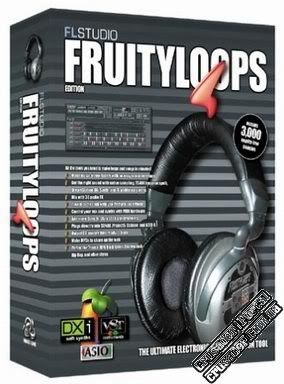
Fruity Loops 3.56

Posted by Rahil 0 comments


Fruityloops is the number one loop and songcreation tool on the net. Create wav, mp3 or midi loops only minutes after launching it. Fruityloops can play any sample file (wav), generator (Fruityloops soft- synth) or VST/DXinstrument) or midi ... 

click here to download

Online Marketing
TopOfBlogs Technology blogs Internet Blogs
Computers (Hardware) - TOP.ORG Blogarama - Blog Directory tricks and tips One way text links
Submit Your Site To The Web's Top 50 Search Engines for Free!
Visit this site.

Enter email here

Join This Blog